All Purpose
Car Dashboard
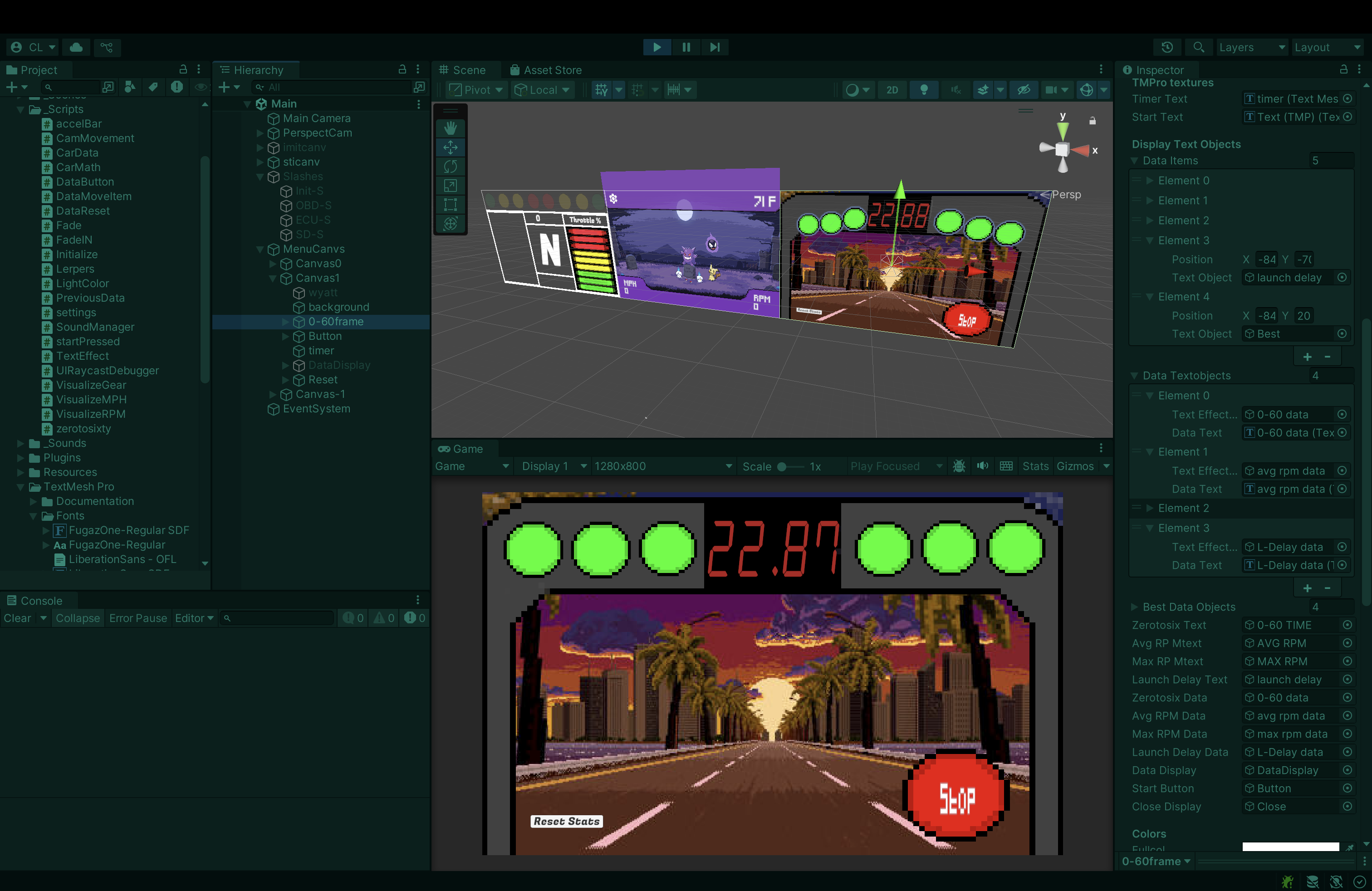
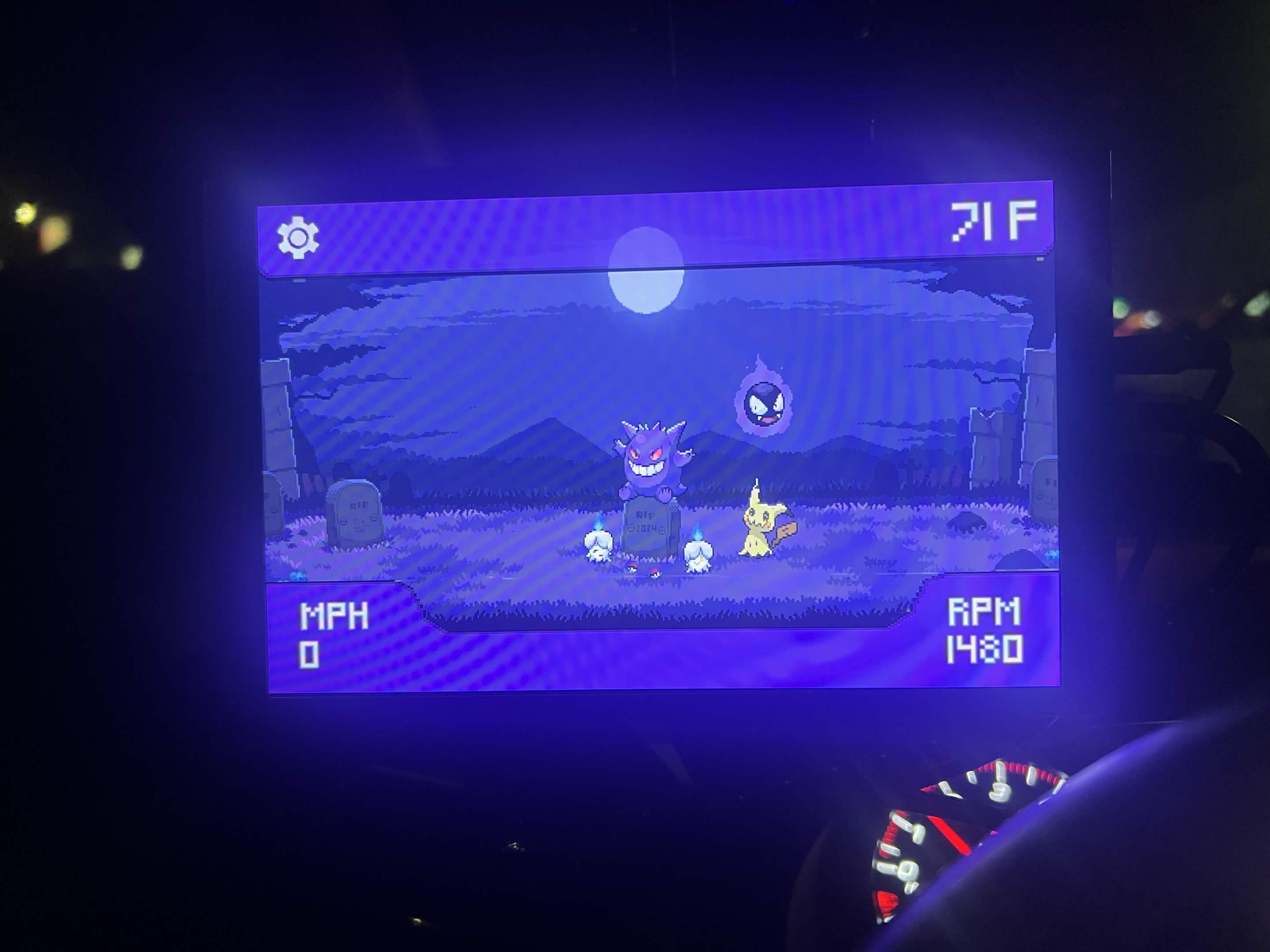
A custom car dashboard built in Unity, with OBD-II integration, shift lights, RPM ladders, and a fully custom UI. Built to run on a touchscreen mini PC.
100+
Hours of dev time
10+
Live OBD-II data points
60fps
Target frame rate
1
WRX STI tested in
About This Project
What It Is
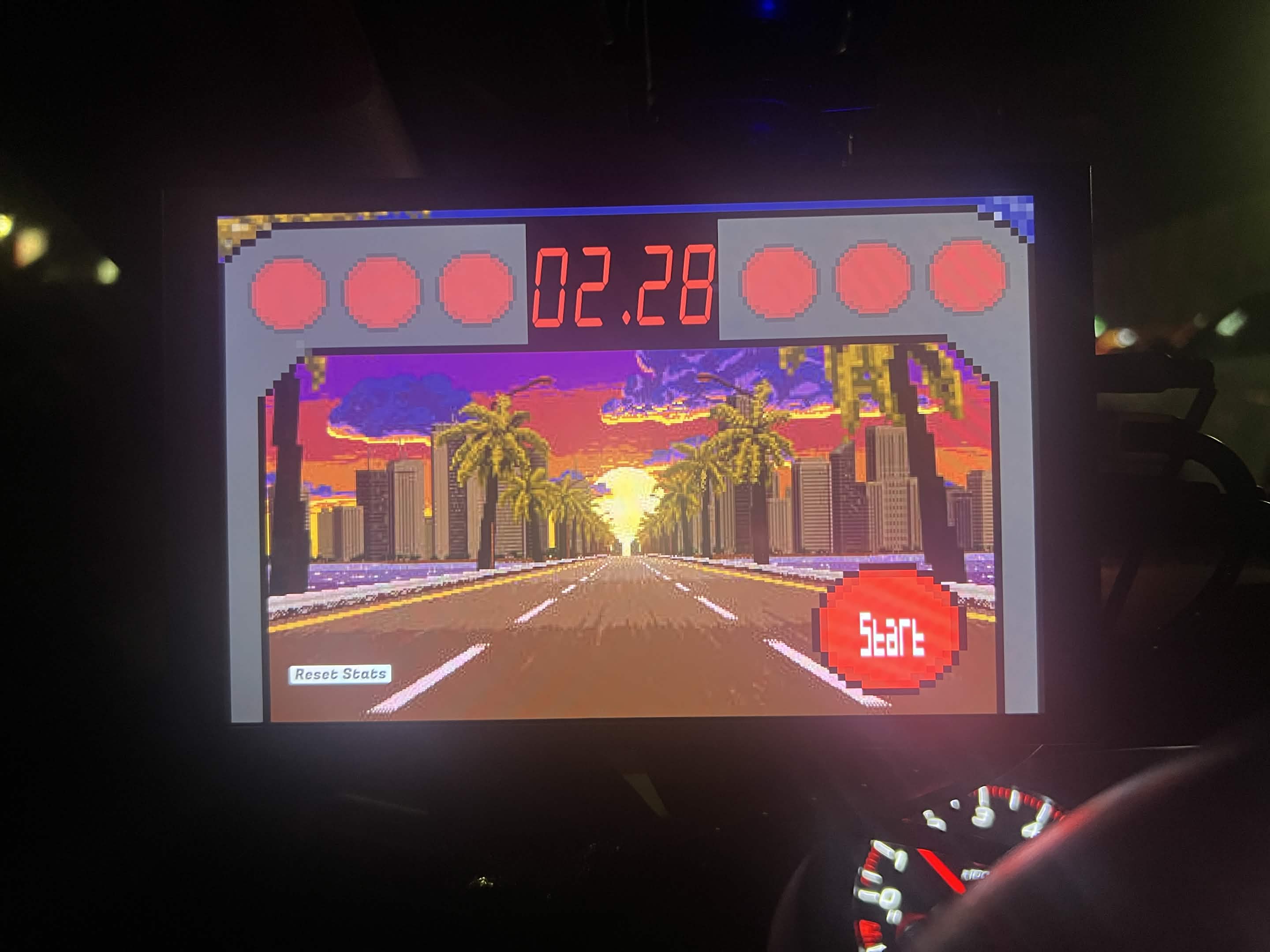
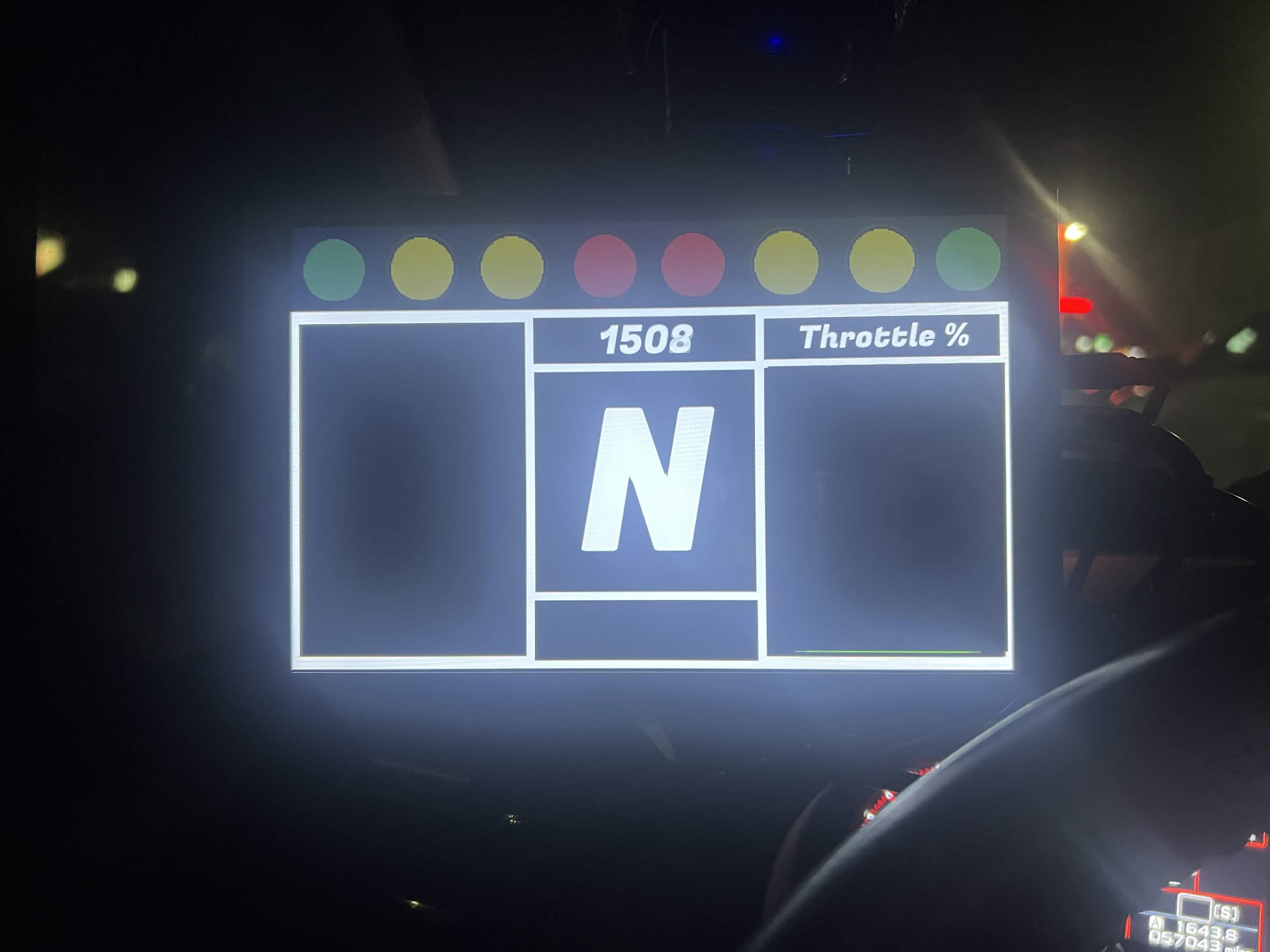
A real-time driving dashboard that reads OBD-II data directly from your car and displays it on a touchscreen. It currently has several features such as RPM ladders, live speed and throttle, smart gear estimation, and a 0–60 tracker that arms, launches, and saves your best runs.
Why I Built It
In March 2025, while pushing my car a little harder than usual, I realized it would be a lot more convenient to know when to shift without having to glance down at my gauge cluster. I thought of going and buying something cheap off Amazon, but then it hit me. I could build one myself using my current Unity skills. From there, I spent more than a hundred hours researching, debugging, and implementing it in my car in 80-degree heat. Fast forward to today, and I have a completely modular dashboard that I use on a daily basis.
How I Built It
A tiny C# serial layer in Unity speaks ELM327 over USB. I tuned the polling loop to read RPM, speed, throttle, and more many times per second without dropping frames. Once the data was flowing reliably, I designed a set of interactive screens to visualize it.
How It Works
The hard part wasn't designing the UI, it was pulling low-latency data from the car and syncing it cleanly with Unity's update loop without causing frame drops.
Serial Connection via ELM327
Unity opens a SerialPort at 115200 baud with NewLine = "\r" as required by ELM327. Three PIDs are cycled in order: RPM (010C), accelerator pedal position (014A), and speed (010D), sending one command every 3 frames once both are confirmed active.
Threaded Polling with Queue
All serial reads run on a dedicated background Thread so blocking I/O never stalls Unity. Responses are pushed into a Queue<string> behind a lock, then drained in Update() each frame.
PID Response Parsing
ELM327 responses are stripped of the prompt character, split on spaces, and matched by header bytes. RPM uses ((A*256)+B)/4. Throttle (014A) is clamped to the STI's actual pedal range (raw 30–153).
Gear Estimation via Wheel Speed
Gear is calculated by converting mph to wheel RPM (tire circumference 80.7"), dividing by engine RPM and final drive ratio (3.90), then matching against the STI's 6-speed ratio table. Neutral is detected when mph is zero or RPM is low at speed.
0–60 Tracker Logic
Accumulates a running RPM total via zerotosixtyRPMtotal and zerotosixtyRPMcount while is_data_collecting is true, then calculates average RPM on completion.
// Background thread — reads serial into queue
private void ReadSerial() {
  while (keepReading && serialPort.IsOpen) {
    try {
      string response = serialPort.ReadLine().Trim();
      response = response.Replace(">", "").Trim();
      lock (queueLock) { dataQueue.Enqueue(response); }
    }
    catch (TimeoutException) { /* ECU slow — skip */ }
  }
}

// Main thread — drain queue, send next PID
void Update() {
  lock (queueLock) {
    while (dataQueue.Count > 0)
      ProcessOBDData(dataQueue.Dequeue());
  }
  if (Time.frameCount % 3 == 0 && BothActive)
    SendCommand();
}

// RPM parse: bytes[0]="41" bytes[1]="0C"
int A = Convert.ToInt32(bytes[2], 16);
int B = Convert.ToInt32(bytes[3], 16);
rpm = ((A * 256) + B) / 4;
// Gear estimation — CarMath.cs
float[] gearRatios = {
  3.636f, 2.235f, 1.590f,
  1.137f, 0.971f, 0.756f
};
float finalDrive    = 3.90f;
float circumference = 80.7f; // inches

void GearCalc() {
  if (mph == 0 || (rpm <= 1000 && mph > 5))
    { gear = 0; return; } // Neutral

  float wheelspeed = mph * 5280 * 12 / 60f;
  float wheelrpm   = wheelspeed / circumference;
  float ratio      = (rpm / wheelrpm) / finalDrive;

  float bestDiff = float.MaxValue;
  for (int i = 0; i < gearRatios.Length; i++) {
    float diff = Mathf.Abs(ratio - gearRatios[i]);
    if (diff < bestDiff) { bestDiff = diff; gear = i + 1; }
  }
}

// Throttle — calibrated to STI pedal range
rawPedal = Mathf.Clamp(rawPedal, 30, 153);
throttleper = ((rawPedal - 30) / 123f) * 100f;
Key Features
Real-Time OBD-II Data
Reads RPM, speed, throttle position, gear estimate, and more via a USB OBD-II adapter at high polling rates without dropping frames.
RPM Ladders & Shift Lights
Animated RPM bars that follow the engine in real time, which flash to signal when the user should shift.
0–60 mph Tracker
Arms on launch, times to 60mph, and logs run stats including elapsed time, average RPM, max RPM, and launch delay. Best times saved to disk.
Custom UI Themes
Swap backgrounds, accent colors, icon sets, and layout presets. Drop in your own photos or artwork to make the dashboard yours.
Audio Feedback
Sound effects for shift alerts, redline warnings, and performance milestones make every run feel like a game.
ML-Agents (Planned)
Next milestone: Unity ML-Agents to analyze driving patterns over time and surface personalized shift and performance insights.
Hardware Setup
The full in-car setup running this dashboard.
Components
Tech Stack
Challenges
The hardest parts of this project, and how I learned from them.
Overloading the Serial Port
The first and hardest issue to debug was how often I needed to send commands to the serial port without overloading it. Very early on in the project, I struggled for hours before I realized I was sending commands too fast, which meant the previous command wouldn't have time to process before coming back, resulting in no data coming back at all. When I figured out the issue, I made a timer that sends commands fast enough to have accurate data, but slow enough to avoid overloading the port.
Handling Bad & Timed Out Responses
After getting consistent data flowing, I noticed it would occasionally come back inaccurate or time out completely. I built a robust parser that could handle both bad responses and timeouts gracefully. This took a while to nail down.
Gear Estimation Without a Gear PID
Most OBD-II implementations don't expose the current gear directly. I had to reverse-engineer the WRX STI's gear ratios, compute a speed/RPM ratio, and match it against a lookup table. My current script for this is faster than the built-in gear detector that is on my gauge cluster.
Future Plans
What's coming next for the dashboard.
ML-Agents Integration
Use Unity ML-Agents to analyze driving patterns over time, such as shift points, throttle habits, and launch consistency, to give a breakdown on what you're doing well and what to improve on.
Expanded PID Support
Add coolant temperature, intake air temp, boost pressure, and battery voltage readouts.
Run History & Stats
With the current stored data from the 0-60 tracker, I want to expand it to save all runs and show where to improve with throttle and shifts.
Wireless OBD-II
Swap the USB adapter for a Bluetooth or Wi-Fi ELM327 to clean up the wiring and remove the physical cable between the OBD port and the mini PC.
Commercial Release
Exploring options to release the dashboard, either as a paid GitHub repo or a hardware and software bundle, with social media being the primary marketing channel.
Multi-Vehicle Support
Right now gear ratios and pedal calibration are hardcoded for the WRX STI. A vehicle profile system would let users configure their own specs and switch between cars from the settings menu.
Gallery
